
Apple Watch
View today's burn, intake, macros, food logs and recorded workouts on your wrist. Some settings and summaries sync from your iPhone.
Introducing Calorimeter 2.0 Coming soon
See the whole day's calorie burn alongside what you eat. Calorimeter brings your Apple Health activity, nutrition and goals into one daily view.
View on the App StoreDownload the current release. The screenshots and features below preview the upcoming 2.0 update.
Take a look inside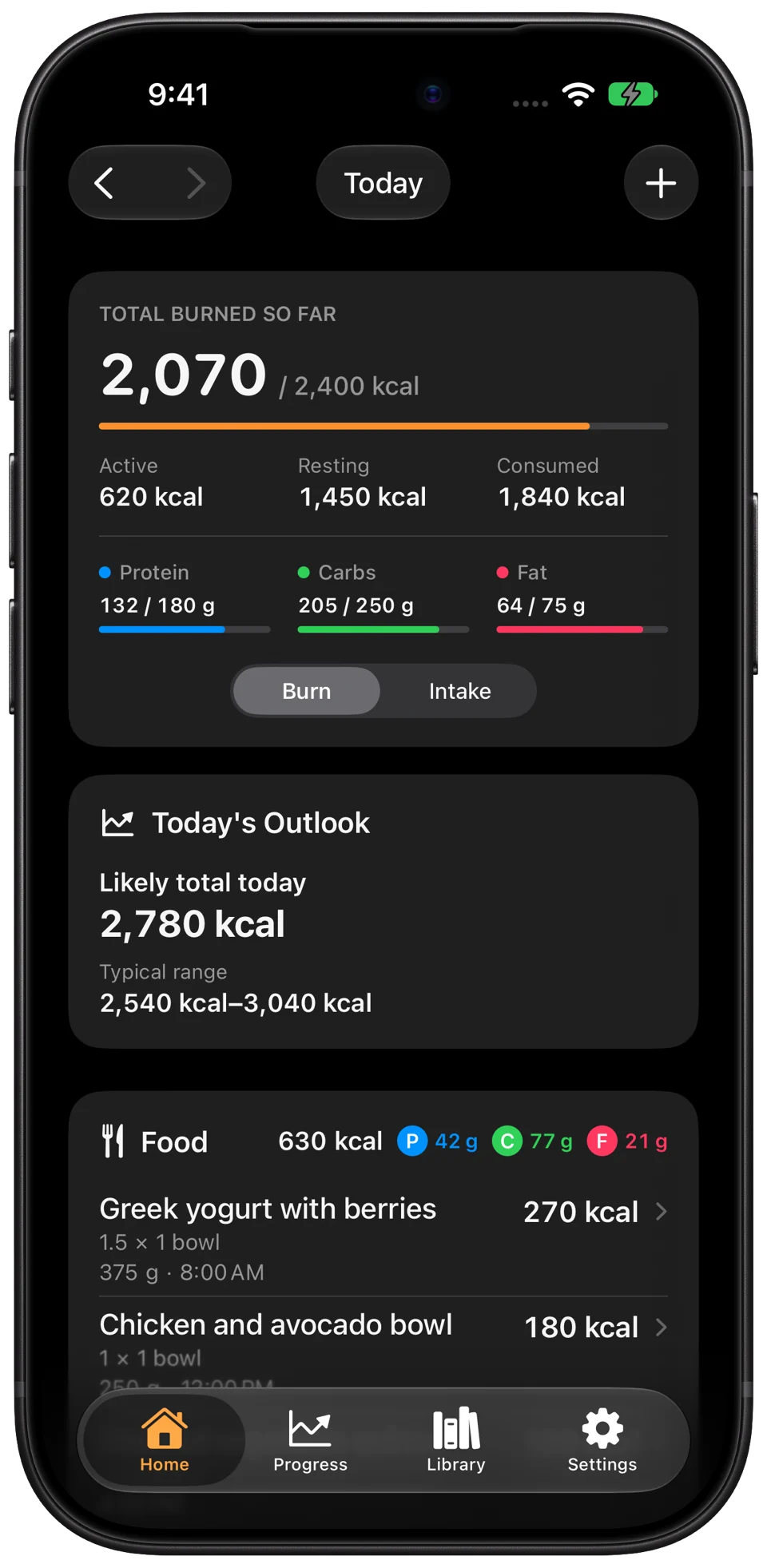
Your body uses energy throughout the day, during activity and at rest.
Movement and recorded workouts
Energy used at rest
Your daily energy expenditure
A personal burn outlook. When enough usable history is available, see an estimate of where today's burn may finish.
Workout context. See how recorded workouts contributed to active energy. Their calories are already included in your total burn.
Food & nutrition
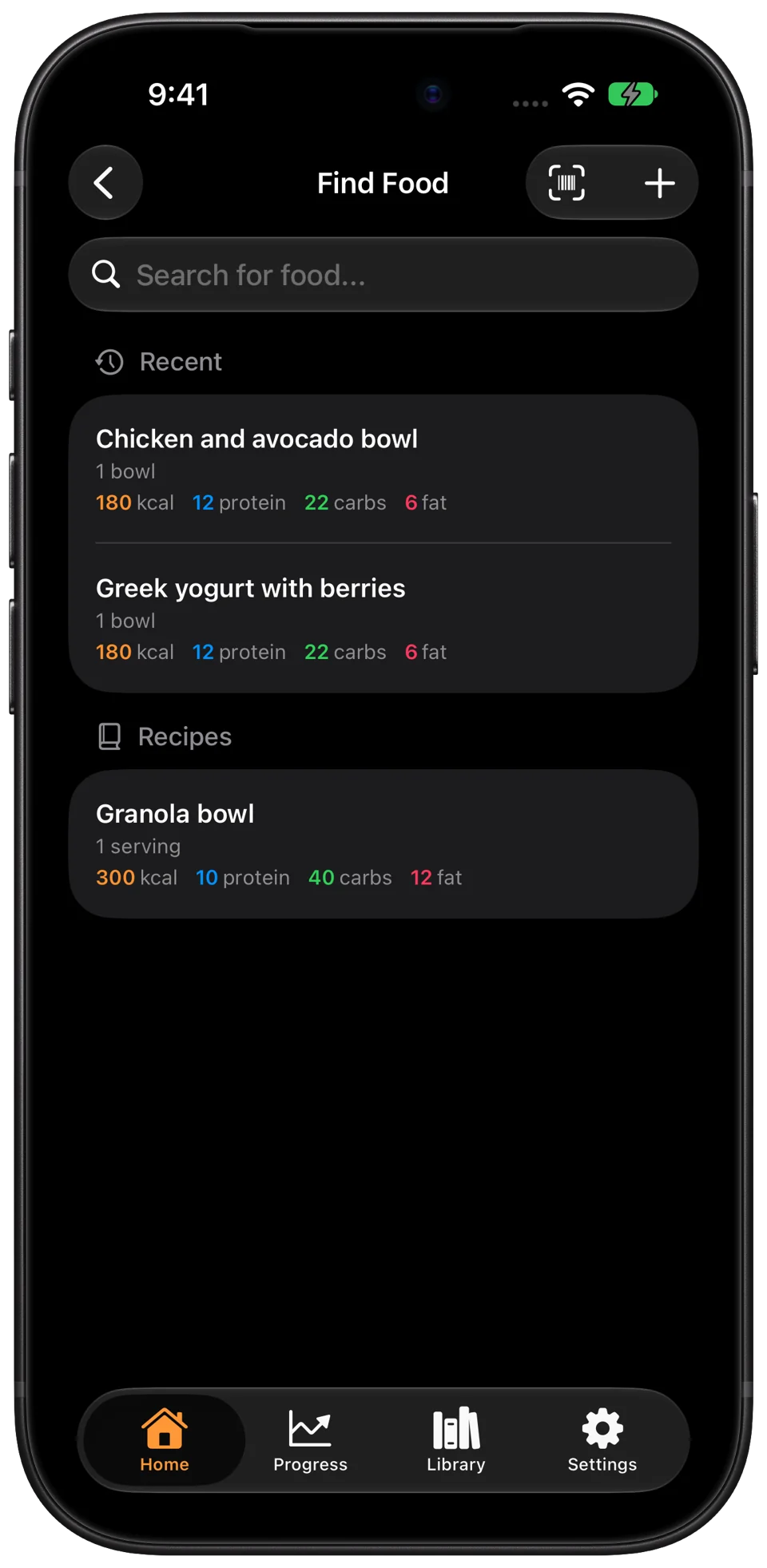
Search the food catalogue, use the improved barcode scanner or create a custom food. Favorites and recent entries keep familiar foods close at hand.
Add ingredients, set the number of servings and see nutrition per serving.
Record your food and keep protein, carbs and fat in view alongside your intake goal.
Enter calories or macros directly into Apple Health when you already know the numbers.
Online catalogue search and remote barcode lookup require a connection.
Personal goals
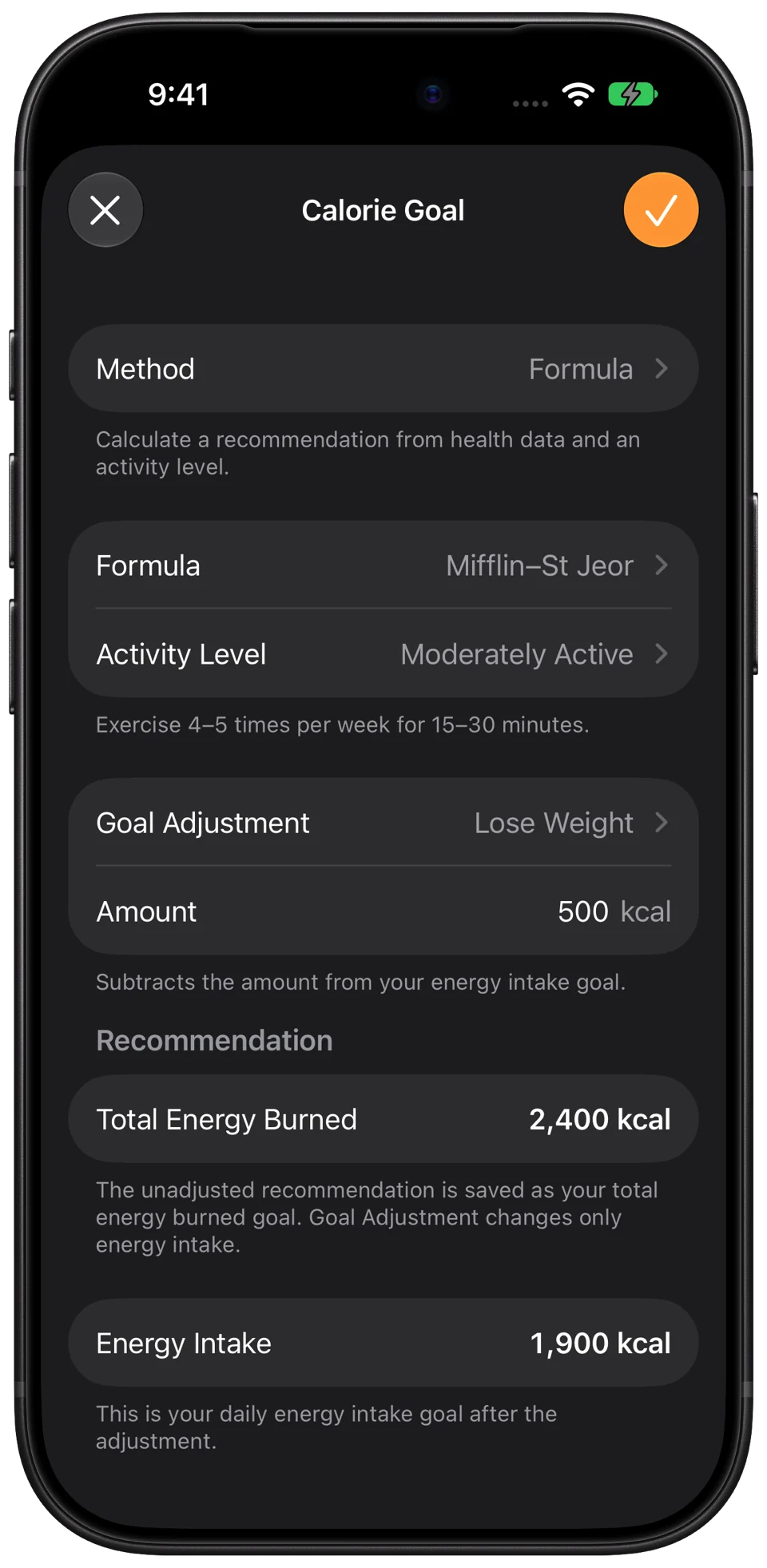
Set calorie targets manually, use your recorded Apple Health burn history or start with a calculation based on your Health profile and activity level.
Set protein, carbohydrate and fat goals in grams, or use a formula-based calculation to find a starting point.
Calculated goals are estimates and depend on the required data. You can adjust your targets to suit you.
History & charts
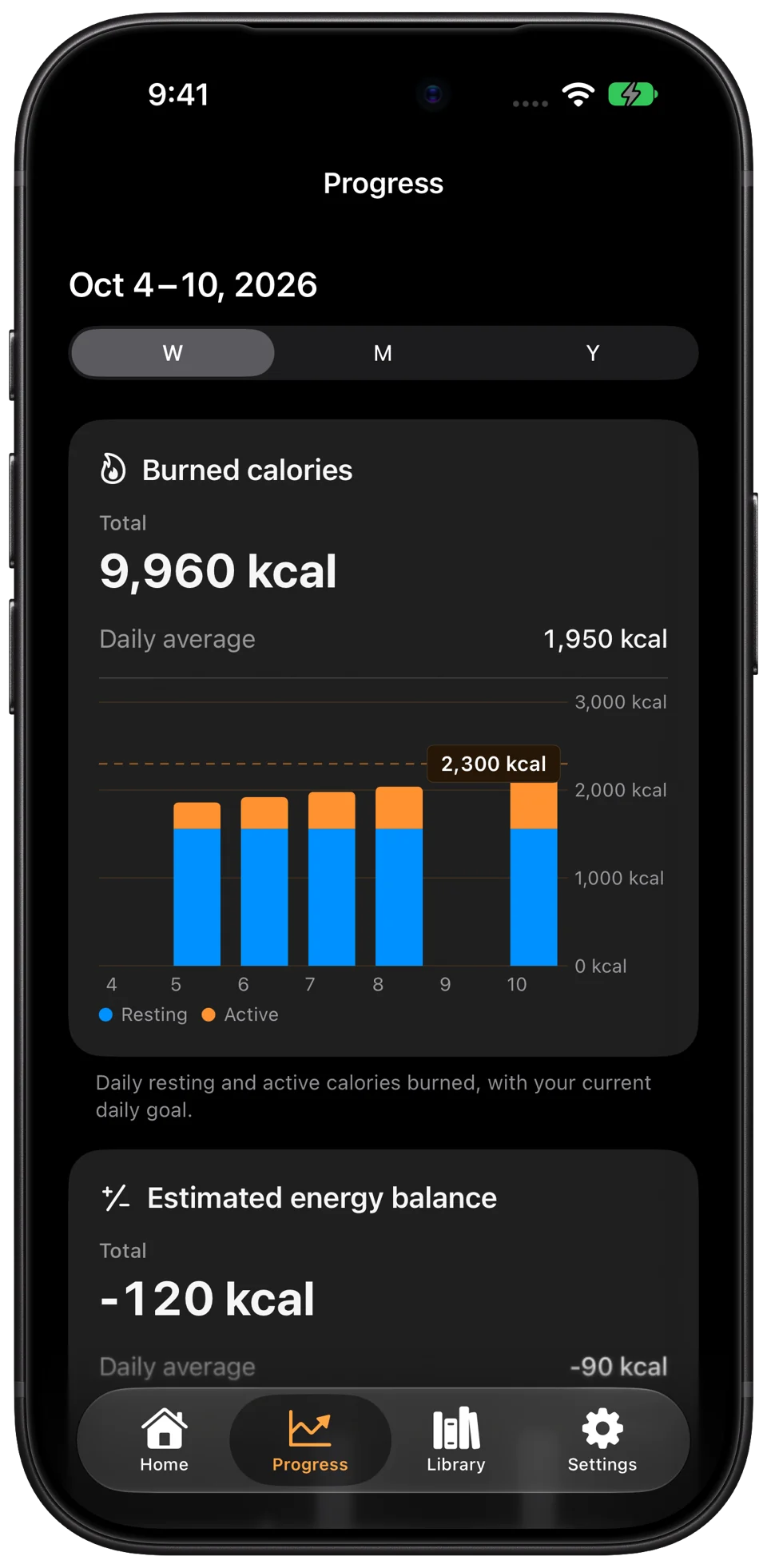
Browse past days and explore your records across weeks, months and years. Compare calorie burn and intake, follow macro history and see your recorded energy balance.
View weight measurements from Apple Health and look at patterns in your recorded workouts.
Charts and energy-balance estimates reflect the available records, which may be incomplete.
View today's burn, intake, macros, food logs and recorded workouts on your wrist. Some settings and summaries sync from your iPhone.
Keep daily summaries on your Home Screen, Lock Screen and Watch, or see cumulative totals from your available Health history.
Ask for today's burned calories or remaining intake allowance, with a spoken summary and visual result.
Version 2.0 brings a Liquid Glass redesign and support for iPhone Duo.
Request a feature or report an issue from Settings in the app. For support, email info@calorimeter.app.